White Glove OpenClaw/Hermes Setup. Installed On Your Hardware.
Built for business owners ready to run their own AI agents. Custom configuration, memory optimization, hardened security, and SOPs so you start building immediately. No wiped Mac Minis. No security gaps. Live the same day.
Connects to the tools you already use




+10,000 more integrations available. OAuth handled securely so your agent never sees raw credentials.
Julian bought this exact setup.
One live session. Here's what happened in his first week, in his own words.
“I literally, in one week, got three months worth of work done.”
“In 45 minutes, you had everything set up that took me three and a half hours to get nowhere.”
“I've been telling all my entrepreneur friends: you need this. Don't waste your time.”
“I got my email unreads down to zero, which is never. My email is always a constant source of anxiety for me. People at work are like, you're happier.”
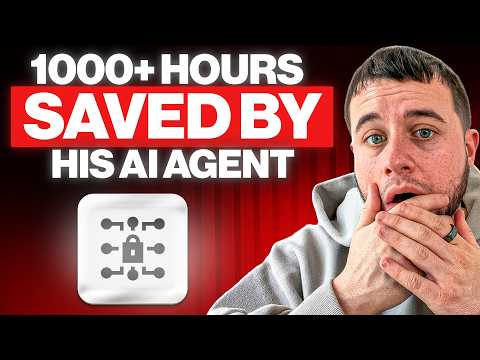
I Set Up My Client's OpenClaw AI Agent & He Got 3 Months of Work Done In 1 Week
The full setup, documented on camera.
Built for operators ready to build.
If you're done waiting on freelancers, courses, and DIY tutorials, and you want OpenClaw or Hermes deployed properly the first time, this is for you.
Operators Running Existing Businesses
You've got an existing business and you want AI agents handling the repetitive work. You don't have time to learn the infrastructure yourself. You want it installed properly so you can start building.
Founders Building AI Agencies
You're starting an AI agency and need your agent infrastructure operational immediately. Skip the 30-hour learning curve. Get deployed correctly from day one with the same setup I run in my own businesses.
Solo Operators Scaling Without Hiring
One-person businesses or lean teams that want AI agents covering roles you'd otherwise hire for. Get the infrastructure handed to you with SOPs you can extend yourself.
Teams Building Internal AI Tooling
Engineering or ops teams that want OpenClaw or Hermes running internally without burning senior engineering hours on hardening, security, and configuration.
From booking to live in 3 simple steps.
Discovery Call
Free 20-30 minute kickoff call. We map your goals, your hardware, your integrations, and the workflows you want to automate. I tell you exactly what gets configured and how.
Live Install & Harden
One live session, about an hour. I install OpenClaw or Hermes on your hardware, configure memory and recall, harden security, set up integrations, and walk you through everything in real time.
14-Day Hypercare
After install, you get 14 days of direct Telegram access. I tune workflows, fix edge cases, and expand permissions as you build trust with your agent. You're never alone with it.
Everything you need to build from.
OpenClaw or Hermes Installed & Hardened
Full installation on your hardware (Mac Mini, VPS, or your existing setup). Security hardened from day one: Docker sandboxing, firewall rules, exec allowlists, read-only by default.
Memory & Recall Configuration
Custom memory configuration optimized for your specific use case. Your agent remembers context across sessions instead of starting fresh every time.
Integration Setup
Secure OAuth integrations configured for you. Email, calendar, and messaging tools connected. Your agent never sees raw credentials.
Custom SOPs
Documented standard operating procedures specific to your setup. Know exactly how to use, extend, and troubleshoot your installation.
Live Walkthrough
Real-time training on how to interact with your agent, prompt effectively, and start building your own workflows on top of the foundation.
14-Day Hypercare
Direct Telegram access for 14 days post-install. Workflow tuning, edge case fixes, permission expansion as you build trust. I don't ghost you after the install.
“Can't I just do this myself?”
You absolutely can. OpenClaw is open-source. The install instructions are public. If you're a senior engineer with 20-40 hours to burn, you can figure it out.
But here's what I see every time someone tries:
- Security gaps. Exposed credentials, no audit trail, no sandbox. The install is straightforward. The hardening is where most setups fail.
- Memory configuration mistakes. Default OpenClaw memory is fine for demos, terrible for production. Most DIY installs use defaults and get frustrated when the agent forgets context.
- Wiped hardware. Multiple buyers I've talked to wiped their Mac Mini 2-4 times trying to get the install right.
- No SOPs. Even when DIY installs work, there's no documentation. When something breaks 6 weeks later, you've forgotten what you did.
Your time is worth more than 20-40 hours of fighting documentation. I deploy it correctly the first time, hand you SOPs, and stay with you for 14 days after. You spend your time using it instead of installing it.
Transparent pricing. No hidden fees.
One-time setup. No retainer. No surprise charges. Pay once, own your installation.
White Glove OpenClaw/Hermes Setup
Everything you need to start running AI agents in your business.
Includes:
- OpenClaw or Hermes installed and hardened on your hardware
- Memory and recall configuration optimized for your use case
- Custom SOPs documenting your specific setup
- Live walkthrough on how to use and extend
- 14 days of hypercare via Telegram
- Satisfaction guarantee: I keep working until it works
Optional Add-Ons
Add Another Agent
+$1,000Deploy an additional OpenClaw agent: second identity, separate workspace, dedicated context.
External Memory Plugin Installation
+$1,000An external memory layer installed and configured on top of the base setup. Deeper recall across sessions and projects, so your agent's context survives restarts and long gaps.
I keep working until it works.
If something's not working at the end of setup, or you're not satisfied with how your agent performs, I keep working on it at no extra charge. The guarantee covers everything in scope of the install. I don't quit until your deployment is doing what we agreed it would do.
Common questions, straight answers.
Have a question that isn't here? Book the discovery call and we'll cover it there.
What is OpenClaw?
An open-source AI assistant that runs 24/7 on dedicated infrastructure. It can triage email, schedule meetings, draft replies, monitor messaging tools, and automate workflows across your stack, proactively, without you asking. Think of it as the foundation layer for running AI agents in your business.
What is Hermes?
Hermes is my in-house agent system: the build I run my own businesses on, refined over 1,000+ hours of production use. Where OpenClaw is the open-source foundation anyone can download, Hermes is my production-grade configuration of that foundation, with the memory, security, and workflows already dialed in. On the discovery call we figure out which one fits your setup.
Do I need to be technical?
No. I handle everything. You don't touch a terminal or write any code. Many of my customers are non-technical operators and founders. After setup, you talk to your agent through Telegram, Slack, or other messaging tools, just like texting an assistant.
What hardware do I need?
Either a Mac Mini (~$600 if you don't have one) or a cloud VPS ($5-10/mo). Most operators go with a VPS for ease of management. Mac Mini is recommended if you need iMessage integration or prefer owning the hardware. We'll discuss what's right for your setup on the discovery call.
Can't I just set it up myself?
You can. OpenClaw is open-source. But the install isn't where most people get stuck. It's the hardening, memory configuration, and integration setup that breaks. I've talked to operators who wiped their Mac Mini 4 times trying to get it right. If your time is worth more than 20-40 hours of trial and error, this saves you the pain.
How long does the setup take?
One live session, about an hour for most configurations. More complex integration stacks can run longer, but you're up and running the same day either way.
What happens after the 14 days of hypercare?
You're fully self-sufficient with your SOPs, documentation, and a working installation. If you want ongoing custom agent builds and full automation of your business operations, that's where the done-for-you build comes in. The setup itself is a complete one-time deliverable.
What's the difference between this and the done-for-you build?
The setup is the foundation: installing the infrastructure on your hardware so YOU can build agents. The done-for-you build is the full engagement where I create custom AI agents that run your business operations for you. Plenty of clients start with the setup and graduate to the build when they're ready.
Is OpenClaw safe to run?
Yes, when configured properly. It's an AI with access to your tools, so security matters. I configure secure OAuth (the agent never sees raw credentials), start with read-only permissions, set up Docker sandboxing, and give you instant kill switches. Hardened the same way OpenClaw's official security guide recommends.
What if I want more than one agent?
Add another agent for $1,000 each. Some operators run separate OpenClaw instances for different identities: one for personal email and calendar, one for business, one for a specific workflow. Each agent has its own memory and context.
What's the satisfaction guarantee?
If something's not working at the end of setup, or your agent isn't performing as we discussed, I keep working on it until it does, at no extra charge. It covers everything in scope of the install. The guarantee is about completion, not refunds. I don't quit until it works.
Ready to deploy?
Book the free discovery call. We'll scope your setup, and most installs go live within the week.
Book a Free Discovery Call